Mobile sandblastingApril to May 2026
All Surface Blasting
A mobile sandblasting crew's job photos became ten before-and-after case studies, with a tap-to-call quote button on every screen.
Designed and built solo for the owner, using the crew's own job photos.
- Astro 6
- TypeScript
- Tailwind CSS 4
- Astro Assets + Sharp
- AVIF and WebP srcsets
- Static site generation
- Vite
- Vercel static hosting
- Node 22
- Client
- All Surface Blasting
- Industry
- Mobile sandblasting
- My role
- Design and build
- Timeline
- April to May 2026
- Stack
- 9 technologies
- Status
- Live
The problem
All Surface Blasting is a mobile sandblasting crew, and the work sells itself once a buyer sees a rusted frame or a paint-caked brick wall come back to clean, bare surface. That proof lived in a camera roll of job photos. A homeowner, shop owner or facilities manager looking for the service needs to see that result before calling, and it is far easier to show than to explain.
The photos were also a technical problem. Forty phone shots at up to 5.9 MB each, about 98 MB in all, would crawl on a job-site phone signal, and a slow page costs the call it was meant to earn. The site had to carry all of that proof, load fast on a phone, and keep the number one tap away wherever a visitor happened to be reading.
What I built
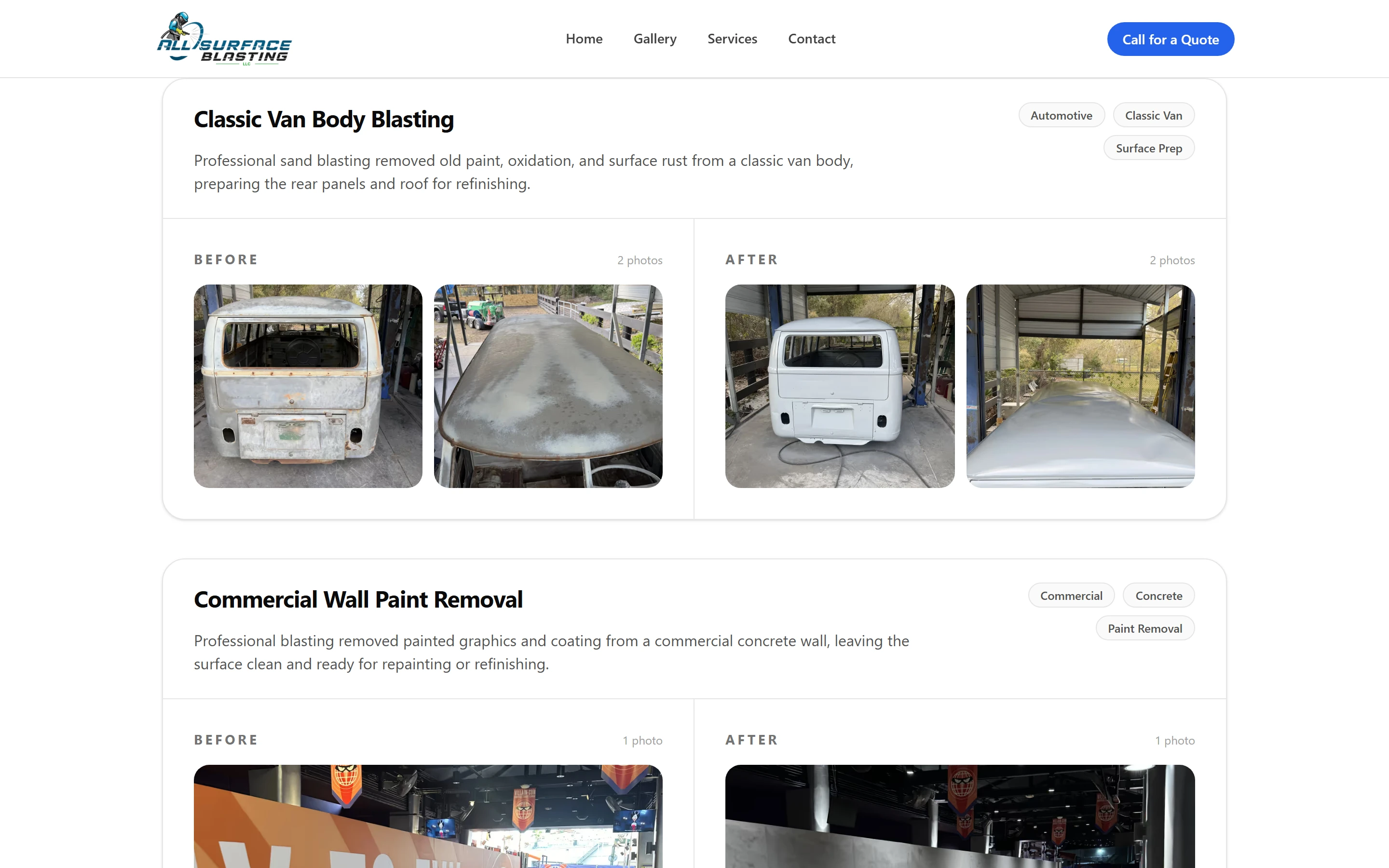
I designed and built a four-page site around that proof: home, services, gallery and contact. The gallery turns the crew's own photos into ten before-and-after case studies, from a classic van, truck cabs and chassis and automotive frame parts to brick and concrete walls and industrial pipe fittings. Each card has a title, a short description, tag pills and side-by-side Before and After columns with photo counts, so a visitor can judge the result in seconds.
Every screen ends in a call. The sticky header keeps a Call for a Quote button in view on desktop, the phone menu closes with a full-width call button, and every hero and closing section repeats it. Each of the three service lines carries its before-and-after pair, and the contact page lists what to include so leads arrive ready to quote. The pages are static, every photo is shrunk at build time, and the site loads fast on a phone.
What it does
Features that pay for themselves
Each one in terms of what it does for the business, not what it is made of.
Before-and-after gallery
Ten real jobs from forty photos, each card showing the Before column beside the After column with photo counts and hover zoom. A buyer sees exactly what the crew does to a rusted chassis or a painted brick wall before picking up the phone, which is the strongest pitch a blasting company has.
allsurfaceblassing.comTen before-and-after projects, every photo the crew's own. Tap-to-call on every screen
The quote button lives in the sticky header, at the end of the phone menu, in every hero and in every closing section. Wherever a visitor stops reading, the next step is one tap, and that tap dials the crew instead of opening a form the owner would have to check.
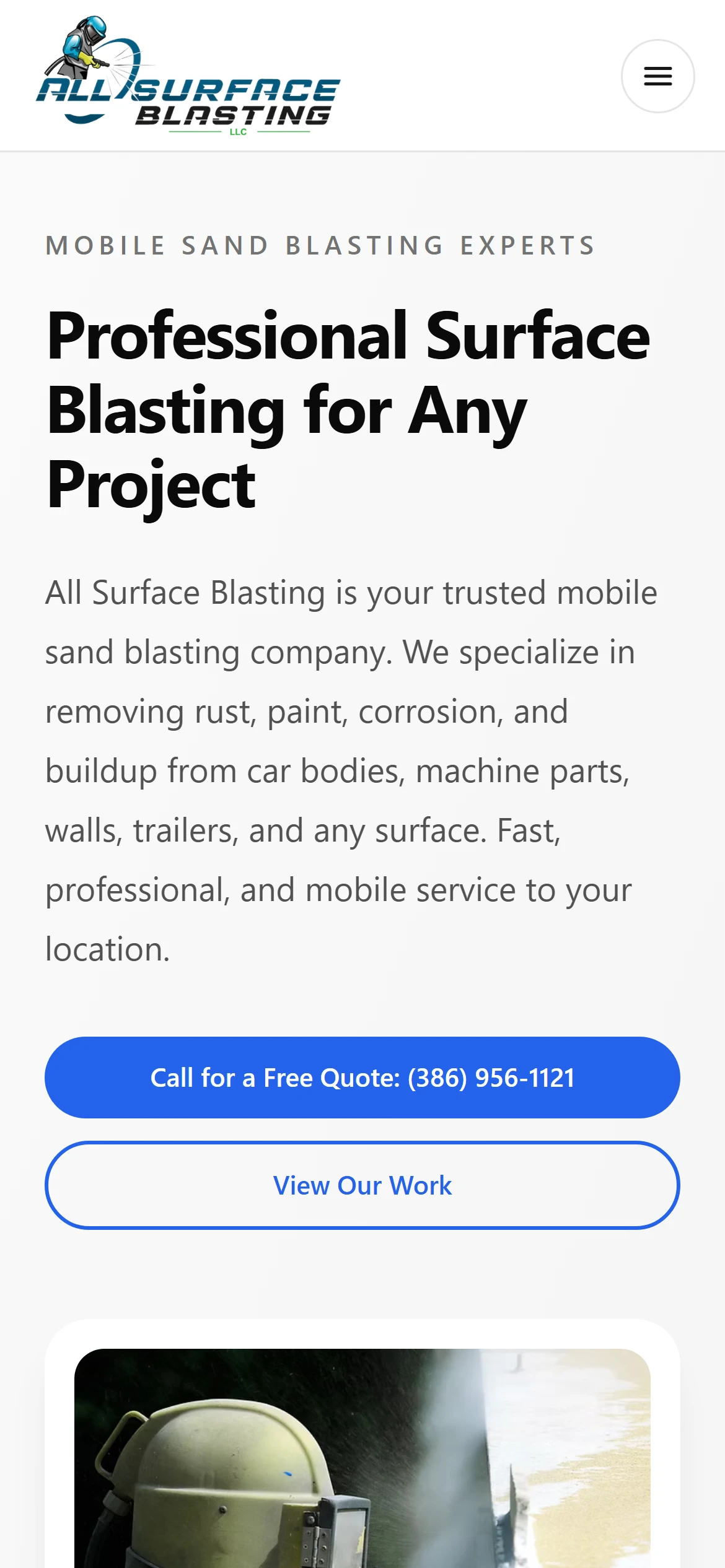
Tap-to-call sits at the top of every screen. Services with proof attached
Automotive, industrial parts, and walls and structures each get an anchored section with sales copy, an Ask About This Service button and their own before-and-after pair. A service-area card and a chip cloud of surfaces (metal, brick and block, concrete, equipment, trailers) invite the custom jobs the crew also takes.
allsurfaceblassing.com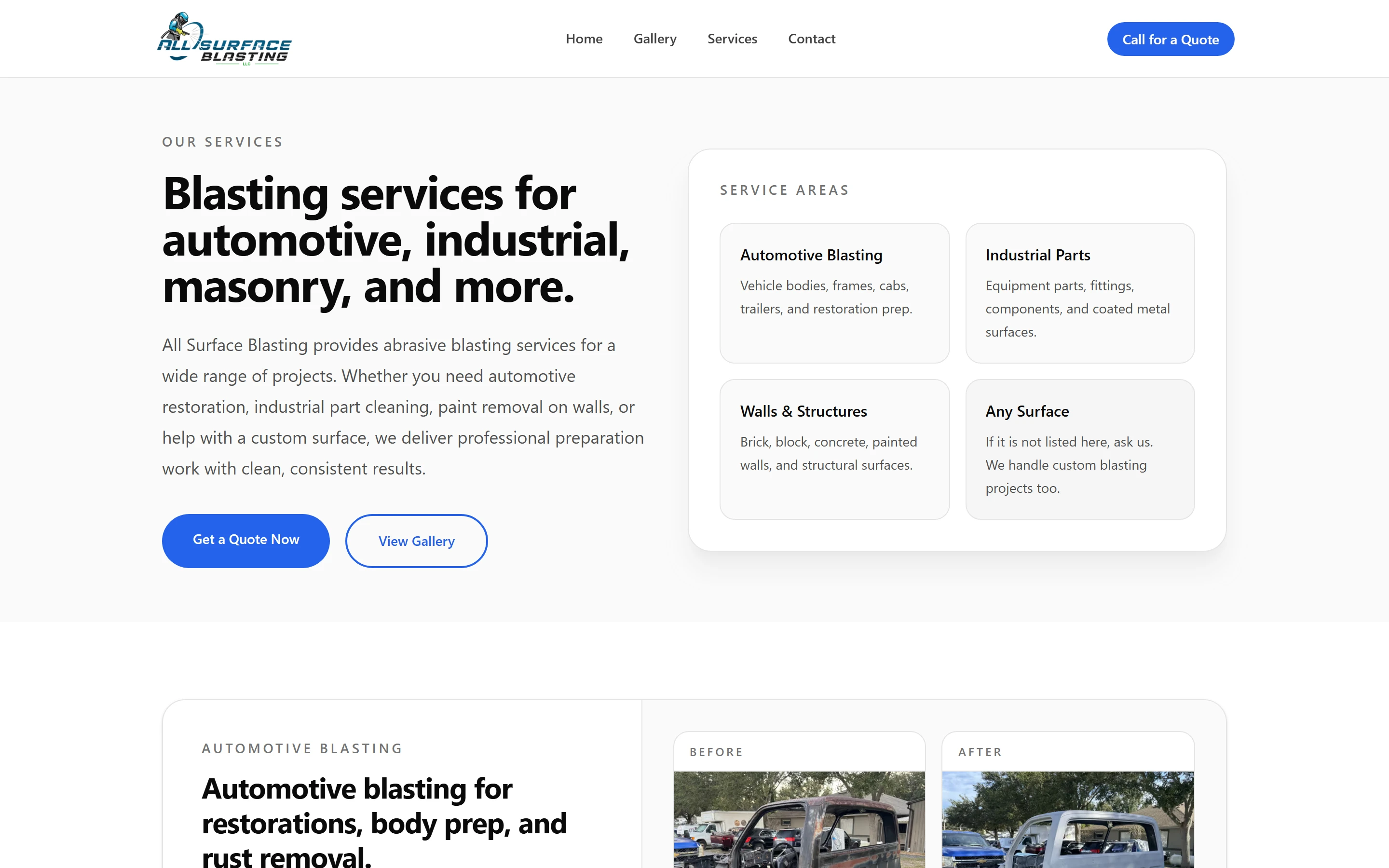
Each service line carries its own before-and-after proof. A contact page that qualifies the lead
Large Call and Email cards sit beside a What to Include list: the surface or item, its current condition, photos and timing. Leads come in with what the owner needs, so a quote can start from the first message instead of a round of follow-up questions.
allsurfaceblassing.com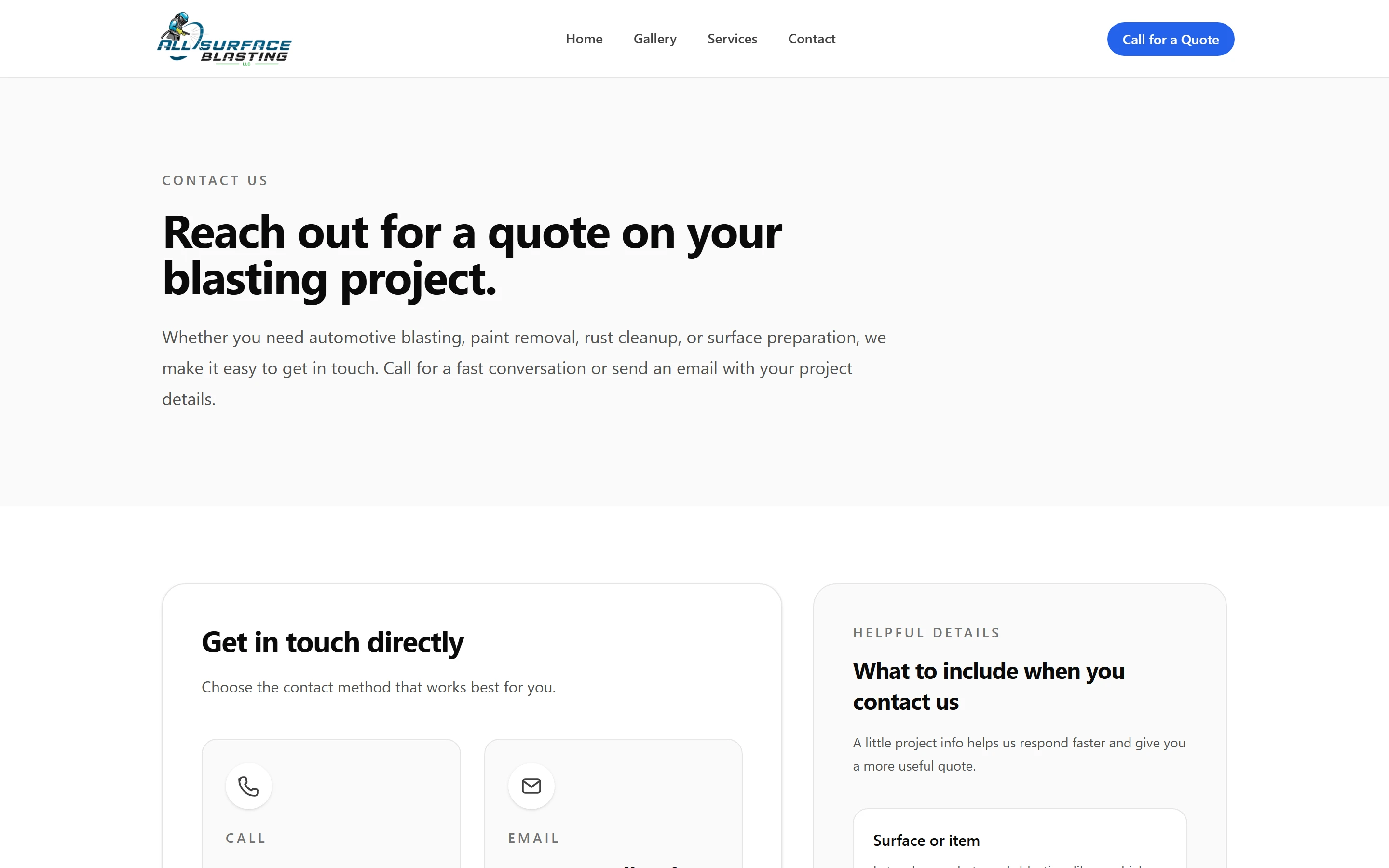
The contact page tells callers what to have ready for a quote.
Engineering
Under the hood
For the partner who reads code.
Photos rebuilt at build time, not on request
On day one the forty job photos moved out of the raw static folder and into Astro's asset pipeline, so Sharp turns each one into AVIF and WebP at several widths while the site builds: 226 variants of each format. The 5.9 MB brick-wall photo ships as AVIF files between 21 and 239 KB, and the browser picks the smallest one that fits its slot. Nothing is resized on the fly and nothing heavy ever reaches a phone.
Srcset math that follows the layout
A gallery card changes its grid, its candidate widths and its sizes attribute by how many photos each side holds: one photo gets a single wide column with 360 to 1080 pixel candidates, several photos get two columns with 240 to 800 pixel candidates, so the browser downloads only the pixels each slot needs. Only the home hero and the first photo of the first card load eagerly; everything else is lazy, so the largest image on screen arrives first.
Typed content that fails the build, not the page
Projects and services are typed arrays in each page, and the photo lookup throws when a filename does not match an asset, so a typo fails the Vercel build instead of shipping a broken card. The site ships as pre-rendered HTML with roughly twenty lines of client script for the mobile menu, which keeps its open state announced to screen readers, and the brand accent lives in three CSS variables so the button colour changes in one place.
Gallery
Screens
- allsurfaceblassing.com
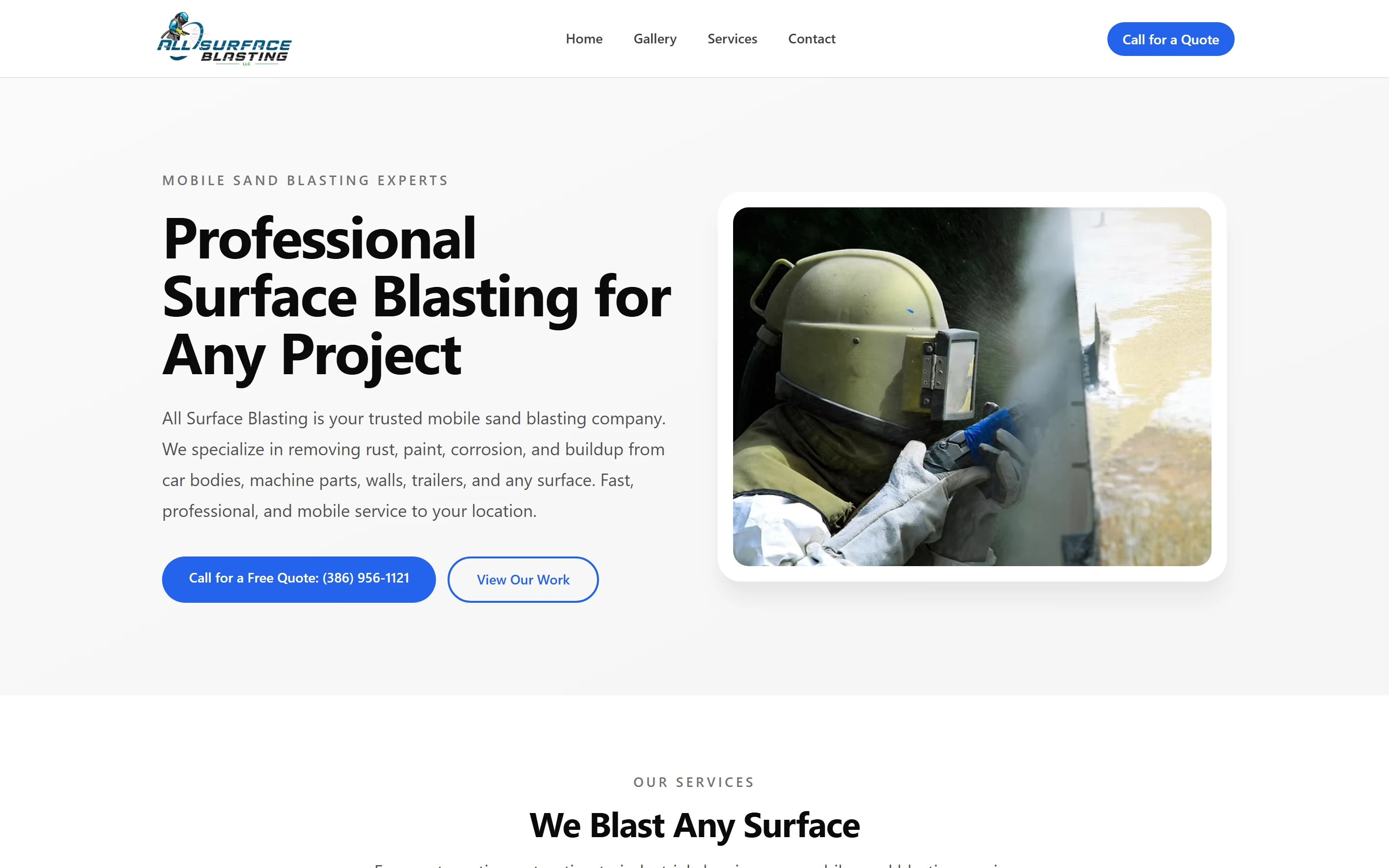
The home page leads with a free-quote call button.
On a phone
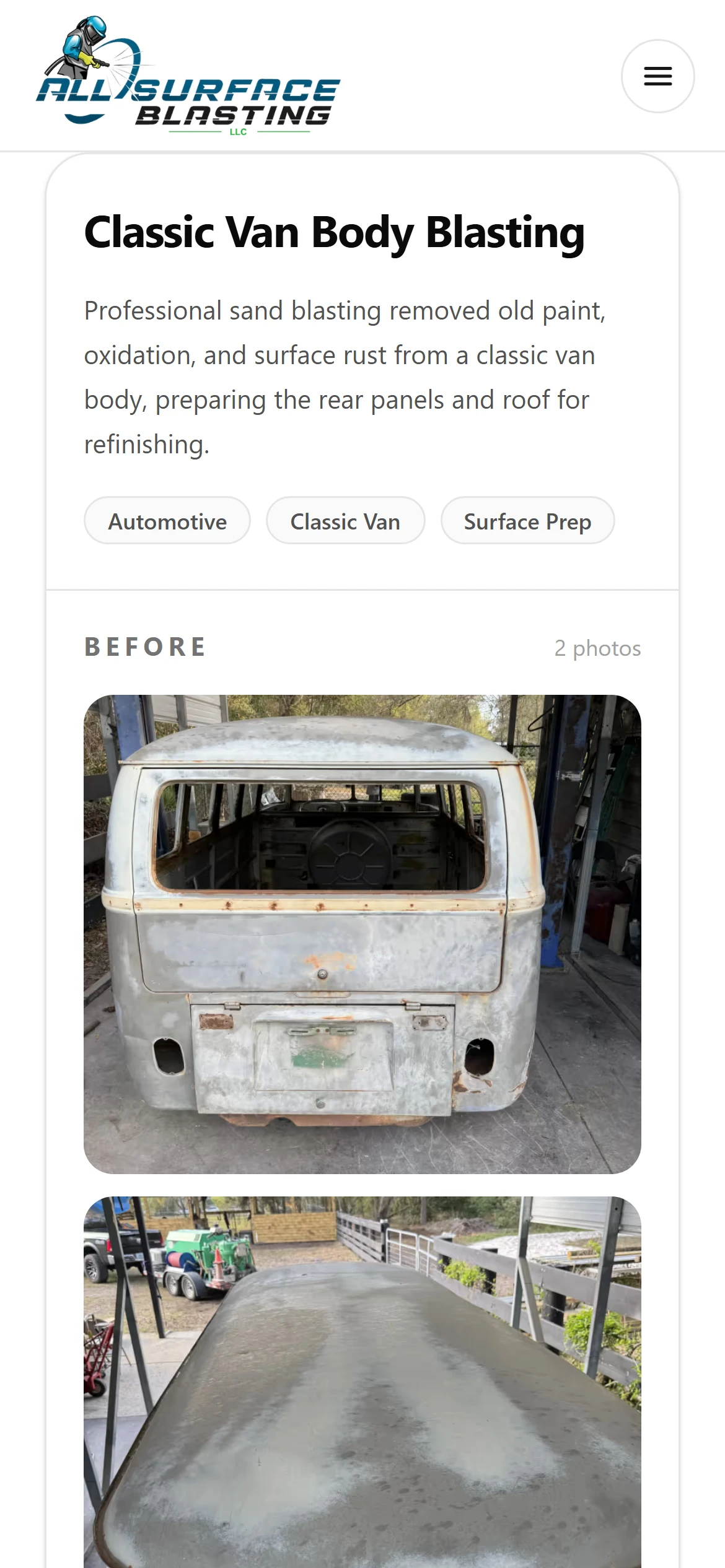
The before-and-after gallery on a phone. 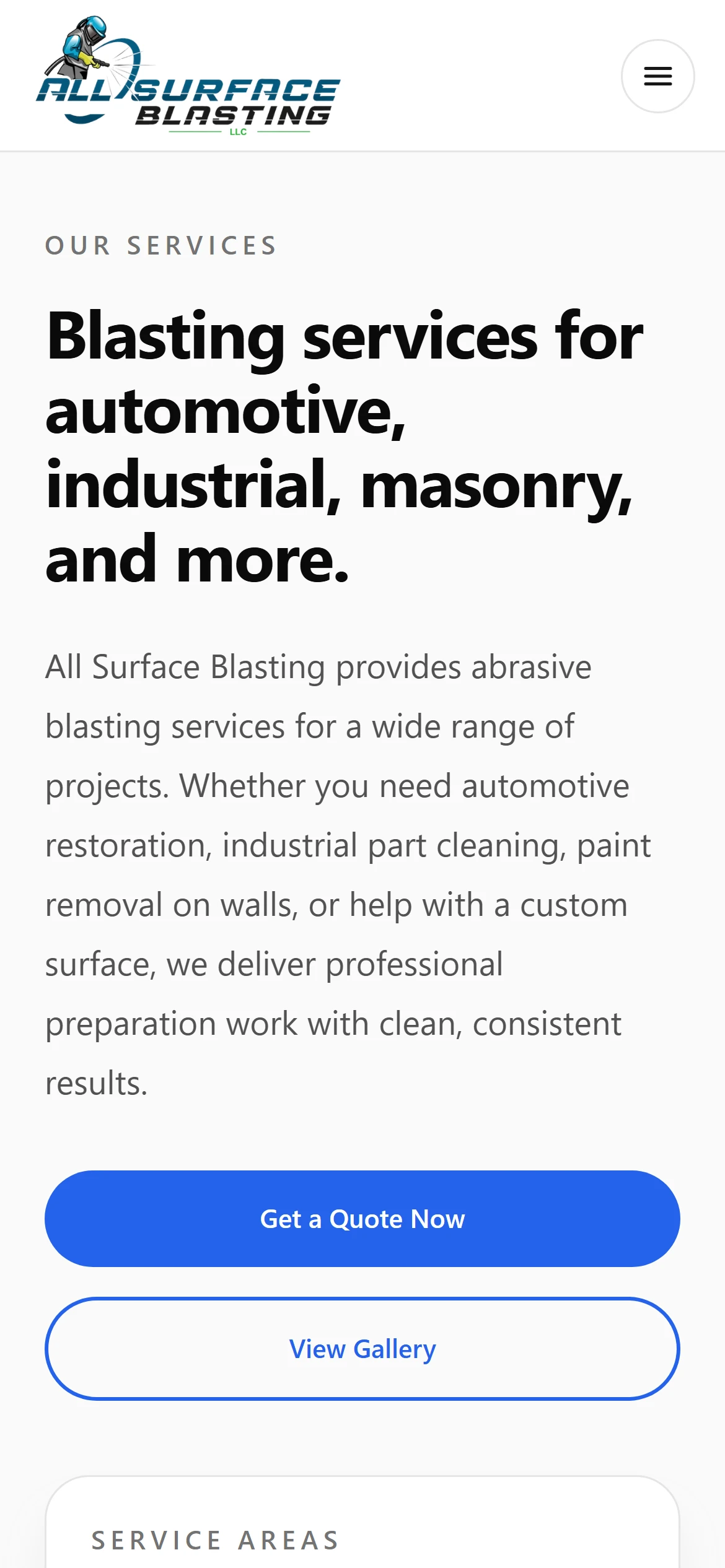
Building something similar?
Tell me what your business needs. I will tell you what I would build, what it would take, and whether I am the right person for it.